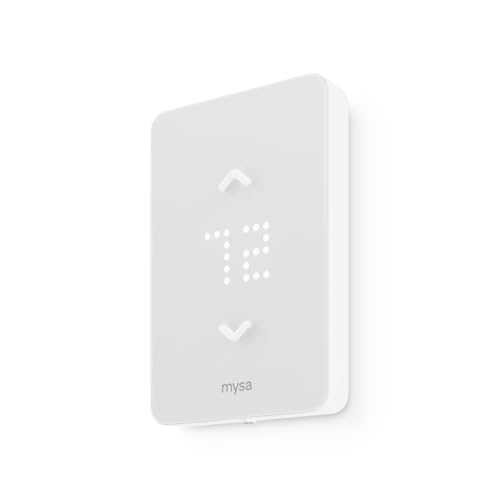
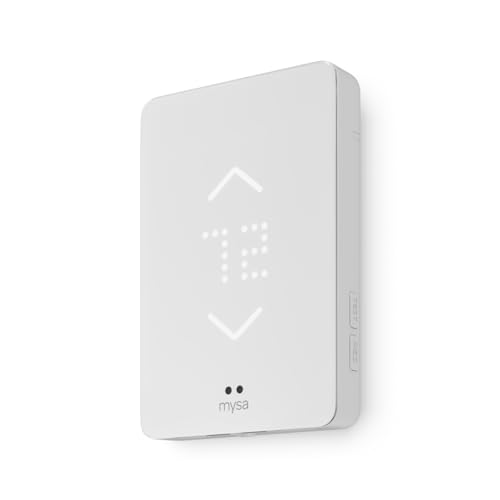
WiFi Central Heating Thermostat: Complete Buyer's Guide
Understand how smart thermostats control central heating, compare key features across market tiers, and learn what to check before choosing a WiFi thermostat for your home.
START LEARNINGAC Units Guide Philosophy: A WiFi central heating thermostat is more than a convenient gadget. It is the control center that decides when your boiler or furnace runs, how much energy the system uses, and how evenly your rooms stay warm. Understanding the fundamentals before you choose helps you match the device to your heating system and your daily routine.
What Is a WiFi Central Heating Thermostat?
A WiFi central heating thermostat is a control device that manages the operation of a central heating system while connecting to your home's internet network. Unlike a basic manual or programmable thermostat, a WiFi model lets you adjust temperature settings, build schedules, and monitor system behavior through a smartphone app, tablet, or voice assistant from anywhere with an internet connection.
The thermostat sits at the intersection of comfort and efficiency. It reads the ambient temperature in your home, compares it with your target setting, and signals the heating system to turn on or off. In a WiFi-enabled unit, that same control loop is extended with remote access, usage reports, and sometimes adaptive learning that adjusts schedules based on your habits.
Modern WiFi thermostats are commonly used alongside gas furnaces, electric forced-air furnaces, oil boilers, and heat pump systems. If your home uses a conventional furnace and air conditioner combination, the thermostat may also manage cooling. Homeowners exploring broader system upgrades often review resources on HVAC replacement and installation guidance to understand how a new thermostat fits into the larger system.
How a WiFi Thermostat Controls Central Heating
The basic control sequence is straightforward, but each stage matters for comfort and efficiency:
- Temperature sensing: The thermostat measures the current room temperature using internal sensors. Some models include remote sensors placed in other rooms to balance readings across the home.
- Comparison with setpoint: The device compares the measured temperature against your desired setting, which may come from a manual entry or a scheduled program.
- Signal to the heating system: When heating is needed, the thermostat sends a low-voltage signal through the wiring to the furnace or boiler control board, which starts the heating cycle.
- Cycling and overshoot control: Once the target temperature is reached, the thermostat ends the call for heat. Advanced models use algorithms to reduce overshoot and short cycling, which can wear on equipment.
- Remote communication: The WiFi module sends status data to the cloud and receives commands from your app, enabling schedule changes and remote adjustments.
Understanding this sequence helps you evaluate features. For example, a thermostat with multiple remote sensors can prioritize the rooms you actually use, while a unit with adaptive recovery can start heating earlier on cold mornings so the house reaches the setpoint on time.
Key Features to Compare Before You Choose
System Compatibility
Check support for conventional furnaces, heat pumps, multi-stage systems, and dual-fuel setups. Compatibility guides from the manufacturer are essential.
C-Wire Requirement
Most WiFi thermostats need a common wire for continuous power. Adapter kits and battery-assisted models exist but may limit features.
Remote Sensors
Remote sensors help balance temperatures in rooms that are far from the thermostat or prone to overheating.
Geofencing
Location-based automation adjusts heating when you leave or approach home, reducing unnecessary runtime.
Adaptive Recovery
The thermostat learns how long your system takes to heat the home and starts earlier to reach the setpoint on schedule.
Usage Reports
Runtime and temperature history help you spot inefficiencies and adjust schedules with real data.
Voice Assistant Support
Integration with major voice platforms allows hands-free temperature adjustments and schedule queries.
Local Processing
Some models continue to run schedules even when the internet is down, which is important for reliability.
Market Tiers: Matching the Thermostat to Your Needs
WiFi thermostats fall into broad tiers based on features, build quality, and control sophistication. The table below uses universal tier descriptors rather than numeric figures, so the comparison stays useful over time.
| Tier | Typical Characteristics | Best For |
|---|---|---|
| Entry-level | Basic WiFi control, simple scheduling, single-room sensor, app access, standard compatibility with conventional systems. | Renters or homeowners who want remote control and basic scheduling without complex setup. |
| Mid-range | Remote sensor support, geofencing, adaptive recovery, usage reports, broader system compatibility including heat pumps. | Households with varied schedules and rooms that need better temperature balance. |
| High-end tier | Multiple sensors, advanced learning algorithms, dual-fuel support, local processing, detailed diagnostics, premium materials. | Larger homes, multi-zone interests, and users who want detailed control and reporting. |
| Professional-grade | Contractor-focused models with robust terminals, extensive compatibility, and integration with professional monitoring platforms. | Complex HVAC systems, light commercial spaces, and installations managed by technicians. |
Mid-range models usually offer smoother scheduling and better sensor support than entry-level units, while high-end tiers focus on learning behavior and deeper system integration. The right tier depends on your heating system complexity and how much automation you actually use.
Installation Basics and What to Check First
Before installing a WiFi thermostat, confirm the wiring configuration at your existing thermostat. The most common wires are R (power), W (heat), Y (cooling), G (fan), and C (common). A C-wire provides continuous power, which most WiFi thermostats require. If your current thermostat lacks a C-wire, you may need an adapter kit or a professional install.
Other checks include:
- System type: Confirm whether you have a conventional furnace, a heat pump, or a dual-fuel system. Heat pump wiring often includes O/B reversing valve terminals.
- Transformer capacity: Smart thermostats draw more power than basic models. Verify the furnace control board can supply the required current.
- Mounting location: Avoid direct sunlight, drafts, and areas near supply registers. A stable interior wall is best.
- WiFi signal strength: Check signal at the thermostat location. Weak signal can cause dropped connections and missed commands.
- App setup: Create the manufacturer account, connect the device, and configure schedules before removing the old thermostat permanently.
If your system is older or the wiring is unclear, a professional technician can verify compatibility and handle the install safely. Resources on HVAC tune-ups and maintenance plans can help you plan ongoing care after the thermostat is installed.
How a Smart Thermostat Supports Efficient Heating
Efficiency gains come from three main behaviors: reducing runtime when the home is empty, avoiding overheating, and maintaining consistent schedules. Geofencing and occupancy detection cut heating when no one is home. Adaptive recovery prevents the system from running longer than needed to reach the setpoint. Usage reports reveal patterns you might not notice, such as a room that consistently overshoots because a nearby vent is blocked.
Pairing a WiFi thermostat with basic maintenance extends the benefit. Clean filters, sealed ducts, and a properly tuned furnace allow the thermostat's decisions to translate into actual comfort. Guides on cleaning AC filters, sealing air ducts, and cleaning condenser coils cover the maintenance side of the system.
Common Mistakes to Avoid
- Buying before checking compatibility: Heat pump and dual-fuel systems need specific terminal support. Always check the compatibility guide.
- Ignoring the C-wire: Missing common wire is the most frequent installation obstacle. Plan for an adapter or professional help.
- Over-automating: Aggressive setbacks can cause the system to run longer during recovery, reducing the expected benefit.
- Placing remote sensors poorly: Sensors near drafts or sunny windows produce misleading readings and uneven heating.
- Skipping the app setup: Schedules and alerts configured properly from the start prevent frustration later.
When to Call a Professional
DIY installation is realistic for many homeowners with a compatible C-wire and a conventional system. Call a technician if you have a heat pump with unfamiliar wiring, no C-wire and no adapter, a boiler system with line-voltage controls, or a multi-zone setup that needs coordinated control. A professional can also verify that the transformer can support the new thermostat and that the system cycles correctly after installation.
For broader system questions, guides on HVAC installation and choosing between local HVAC contractors and big-box stores help you plan the service side of the project.
Frequently Asked Questions
What is a WiFi central heating thermostat?
It is a smart control device that manages your central heating system and connects to the internet, allowing remote temperature adjustments and schedule management through an app or voice assistant.
Do I need a C-wire for a WiFi thermostat?
Most WiFi thermostats require a C-wire for continuous power. Some models offer adapter kits or battery-assisted operation, but a C-wire is the most reliable setup.
Can I install a WiFi thermostat myself?
Many homeowners can install one if the wiring is compatible and a C-wire is present. Complex systems, heat pumps, or missing C-wires may require a professional.
Are WiFi thermostats compatible with all heating systems?
Compatibility varies by model. Most support conventional gas, oil, and electric forced-air furnaces, as well as heat pumps. Always check the manufacturer's compatibility guide.
What happens if the internet goes down?
Many WiFi thermostats continue to run their local schedules even without internet. Remote app access and some cloud features pause until the connection returns.
Ready to Compare WiFi Thermostat Options?
Review the recommended models below and compare features that match your heating system and daily routine.
EXPLORE OPTIONS