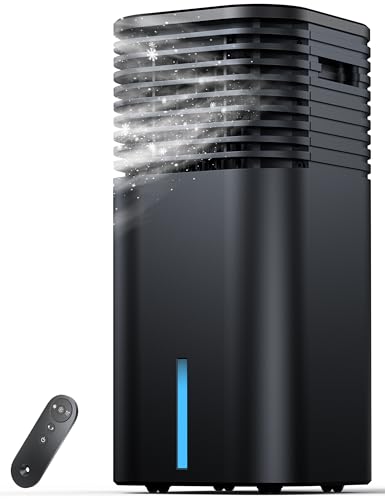
Wireless Air Conditioner: The Complete Guide to Smart, Cable-Free Cooling Control
Understand how wireless air conditioners work, what smart thermostats and Wi-Fi controllers add, and which features genuinely improve comfort, convenience, and energy efficiency before you invest.
Why this guide matters: You already know you want a cooling system that you can control without running cables across walls or hunting for a remote under the sofa. This page walks you through the technology behind wireless AC control, the difference between wireless and smart cooling, compatibility with existing units, and the practical questions you should answer before ordering. By the end, you will know exactly which wireless air conditioner features match your home and your routine.
What Exactly Is a Wireless Air Conditioner?
A wireless air conditioner is a cooling system whose operation can be managed without a physical wired connection between the thermostat, remote, or control panel and the indoor unit. Instead of low-voltage wires running through walls to a wall-mounted thermostat, wireless AC systems communicate through Wi-Fi, Bluetooth, radio frequency (RF), or infrared (IR) signals. The result is simpler installation, more flexible placement, and the ability to control cooling from a smartphone, tablet, or voice assistant.
It is important to separate two ideas that are often mixed together. The first is the cooling hardware — the compressor, evaporator coil, condenser, and refrigerant circuit. The second is the control layer — the thermostat, remote, app, and network module. A wireless air conditioner uses the same proven refrigeration cycle as any conventional unit. The wireless part refers to how you command that cycle, not how the refrigerant moves heat.
This distinction matters because it means you are not sacrificing cooling performance by going wireless. You are only changing the interface. Whether you are looking at a ductless mini-split with a built-in Wi-Fi module, a portable unit paired with a smart controller, or a full central system upgraded with a wireless thermostat, the underlying comfort and efficiency depend on correct sizing, proper installation, and routine maintenance.
How Wireless AC Control Actually Works
There are three common ways a wireless air conditioner receives and executes your commands. Understanding them helps you judge whether a product listing's "wireless" claim matches what you actually need.
1. Built-in Wi-Fi modules
Many modern ductless mini-splits, window units, and portable air conditioners ship with an integrated Wi-Fi chip. Once the unit is connected to your home router through the manufacturer's app, you can adjust temperature, fan speed, swing, and schedules from anywhere with an internet connection. This is the most feature-rich form of wireless AC and the one most people mean when they search for a wireless air conditioner.
2. Bluetooth and local radio frequency
Bluetooth control works only within a short range, usually the same room. RF remotes can travel through walls and reach farther, but they generally lack cloud features. These options suit renters or situations where you do not want the AC on your home network. A wireless air conditioner thermostat that uses RF can still give you cable-free wall mounting without requiring internet access.
3. Smart controllers bridging IR and Wi-Fi
If your existing air conditioner has an infrared receiver — almost every split system and window unit does — you can add a smart AC controller that sits within line of sight and translates app or voice commands into IR signals. This is the most flexible upgrade path. It turns a conventional unit into a wireless air conditioner without replacing the hardware. Compatibility lists are essential here, so verify your brand and model before purchasing a controller.
Practical tip: A stable 2.4 GHz Wi-Fi band is the most widely supported frequency for AC modules. If your router broadcasts a combined 2.4/5 GHz network and the app cannot find the unit, temporarily splitting the bands or using a dedicated 2.4 GHz guest network usually solves the pairing problem.
Wireless vs. Smart: What Is the Real Difference?
The terms "wireless" and "smart" overlap but are not identical. A wireless air conditioner removes the wired control link. A smart air conditioner adds intelligence on top of that link. A basic RF remote is wireless but not smart. A Wi-Fi unit with scheduling and geofencing is both.
Smart features that meaningfully improve daily use include:
- Scheduling and timers that align cooling with your sleep and work patterns instead of running all day.
- Geofencing that starts cooling when you approach home and reduces output when everyone leaves.
- Energy monitoring that shows how runtime and setpoints translate into consumption.
- Voice assistant integration with major platforms for hands-free adjustments.
- Remote diagnostics that alert you to filter clogs or error codes before comfort drops.
Features that sound impressive but rarely change outcomes include novelty lighting, overly complex scene builders, and app-only controls with no physical backup. A good wireless air conditioner should still work from a wall panel or handheld remote if the network goes down.
Types of Wireless Air Conditioners by Hardware
The wireless control layer can be attached to almost any cooling format. The table below summarizes how each hardware type typically implements wireless operation and what to check before buying.
| Hardware Type | Typical Wireless Control | Best For | Check Before Buying |
|---|---|---|---|
| Ductless mini-split | Built-in Wi-Fi + IR remote; optional wired wall stat | Single rooms and multi-zone homes | App quality, local API support, line-set length |
| Window AC | Wi-Fi module or add-on smart controller | Apartments and single rooms | Window width, voltage, IR line of sight |
| Portable AC | Wi-Fi module on mid-range and premium models | Renters and rooms without permanent mounting | Exhaust hose routing, condensate handling |
| Central AC | Wireless thermostat replacing wired low-voltage stat | Whole-home cooling with ductwork | 24V compatibility, C-wire availability, zoning |
| Through-the-wall AC | Add-on smart controller or Wi-Fi-enabled chassis | Hotels, older homes, fixed sleeve installations | Sleeve dimensions, remote signal path |
If your home lacks ductwork and you want zoned comfort, a mini-split zoning approach pairs naturally with wireless control because each indoor head can have its own schedule and setpoint. For homes that already have ducts, a zoned HVAC system combined with a wireless thermostat gives room-by-room flexibility without running new control wires.
Benefits of Going Wireless
The appeal of a wireless air conditioner is not just convenience. There are concrete practical advantages that show up in installation, daily operation, and long-term maintenance.
- Simpler installation: No low-voltage cable runs through finished walls. For renters and retrofits, this alone can remove a major obstacle.
- Flexible thermostat placement: A wireless thermostat can sit where the temperature reading is most representative, not where wiring happens to exist.
- Remote oversight: You can confirm the AC is running, adjust a setpoint, or start cooling before you arrive.
- Better scheduling discipline: Apps make it easier to set back temperatures during unoccupied hours, which supports efficiency over time.
- Cleaner walls: Fewer visible cables and patched drywall, especially in older homes.
- Upgrade path: Add-on controllers extend the life of a working AC by modernizing its control layer instead of replacing the whole unit.
Efficiency gains are real but should be framed honestly. A wireless thermostat does not make a compressor more efficient. It makes it easier to stop wasting cooling when nobody is home. The savings come from behavior and scheduling, supported by better data.
Limitations and Things to Consider
A balanced view matters more than a sales pitch. Wireless air conditioners have trade-offs you should weigh before committing.
- Network dependence: Cloud-based features stop working if the internet or the manufacturer's server goes down. Local control should always remain available.
- Pairing friction: Some apps are more polished than others. Read recent user experiences for the specific model, not just the brand.
- Battery and signal path: Battery-powered wireless thermostats need periodic replacement, and RF or IR signals can be blocked by furniture or walls.
- Cybersecurity hygiene: Put AC devices on a separate network segment where possible, use strong unique passwords, and keep firmware updated.
- Compatibility traps: Add-on controllers only work with listed brands and models. Verify the exact model number, not just the series name.
If your existing wall thermostat is wired and working, moving to wireless is a choice about flexibility, not a repair necessity. If your thermostat is failing or you are remodeling, that is the natural moment to consider a wireless upgrade. For related troubleshooting, see thermostat set to cool but AC not turning on.
How to Choose the Right Wireless Air Conditioner
Use the following sequence to narrow your options efficiently. It moves from the hardware decision to the control decision, which prevents the common mistake of picking an app first and discovering the hardware does not fit the room.
Step 1: Size the cooling load first
Wireless control cannot fix an undersized or oversized unit. Calculate the BTU requirement from room area, ceiling height, sun exposure, window count, and occupancy. A unit that is too large will short-cycle, leaving the room clammy; one that is too small will run continuously and never reach setpoint. Use a sizing guide rather than guessing from the room's nickname.
Step 2: Decide on the hardware format
Mini-split for permanent, quiet, efficient single-room cooling. Window unit for the simplest installation where a suitable window exists. Portable for renters or rooms where mounting is not allowed. Central with a wireless thermostat if ductwork already exists. Each format has a different relationship with wireless control, as shown in the table above.
Step 3: Match the wireless layer to your routine
If you mostly adjust the AC while at home, a good IR remote and a reliable app are enough. If you travel or work irregular hours, prioritize geofencing and remote access. If you have a smart home hub, check whether the unit supports native integration or requires a bridge. If you value privacy, look for models with local control options that do not route every command through the cloud.
Step 4: Confirm compatibility and installation requirements
For add-on controllers, confirm the exact model number. For wireless thermostats on central systems, confirm the low-voltage wiring, including whether a C-wire is present or a power adapter is included. For mini-splits, confirm line-set length, drain routing, and electrical circuit capacity. A 110V vs 240V comparison is useful if you are unsure which circuit the room can support.
Step 5: Evaluate tier and build quality
Wireless modules vary in quality across market tiers. Entry-level units may offer basic app control with limited scheduling. Mid-range models typically add better app stability, voice integration, and more granular fan control. Premium and high-end tier units often include local APIs, more robust firmware support, and longer warranties. Choose the tier that matches how much you will rely on automation, not the tier with the longest feature list.
Installation and Setup Essentials
Most wireless air conditioner problems trace back to setup, not hardware failure. A careful installation prevents most of them.
- Place the controller correctly: Avoid direct sunlight, heat-producing appliances, and dead zones behind furniture. For IR controllers, maintain clear line of sight to the indoor unit's receiver.
- Stabilize the network: Use the 2.4 GHz band where required, keep the router reasonably close, and avoid congested channels. A mesh node near the AC can help in larger homes.
- Complete firmware updates at install: Update the AC module and the app before relying on schedules. Early updates often fix pairing and reliability issues.
- Test fallback controls: Confirm the physical remote and wall panel still work with Wi-Fi disabled. You want cooling to continue during an outage.
- Set sensible schedules from day one: A setback during work hours and a gradual pre-cool before arrival is the pattern that delivers the most consistent comfort with the least waste.
If you are installing a mini-split rather than a portable or window unit, professional commissioning is still the right call for refrigerant handling and electrical work. Wireless control simplifies the thermostat wiring, not the refrigeration work.
Maintenance for Wireless AC Systems
The cooling hardware needs the same care as any air conditioner. The wireless layer adds a few small tasks of its own.
- Clean or replace filters on the manufacturer's schedule. A clogged filter reduces airflow, which can make the unit run longer and mask as a control problem.
- Keep the IR receiver and controller lens clean. Dust on either surface can cause missed commands that look like app failures.
- Update firmware periodically and review app permissions. Security patches matter for any device on your network.
- Replace thermostat batteries before the low-battery warning becomes a mid-summer shutdown.
- Check condensate drainage on portable and mini-split units. Water backups are a common cause of unexplained shutdowns.
- Review energy reports monthly to catch drift in runtime before it becomes a larger efficiency issue.
For deeper routine care, a structured air conditioner service and maintenance plan keeps both the hardware and the control layer in good shape across seasons.
Common Mistakes to Avoid
- Buying the app instead of the AC: A polished app cannot compensate for an incorrectly sized or poorly installed unit.
- Ignoring local control: Cloud-only operation is fragile. Confirm that physical controls remain functional.
- Skipping the compatibility check: Add-on controllers and wireless thermostats are model-specific. Verify before ordering.
- Over-automating on day one: Start with simple schedules, observe comfort, then add geofencing and scenes once the basics are stable.
- Neglecting the network: Weak Wi-Fi near the unit is the most common cause of "the app says offline" complaints.
- Assuming wireless means no maintenance: The refrigeration cycle still needs filters, coils, and drainage care.
Frequently Asked Questions
What is a wireless air conditioner?
A wireless air conditioner is a cooling system that can be controlled and monitored without physical wired connections to a thermostat or control panel. Most modern wireless AC units use Wi-Fi, Bluetooth, or radio frequency to connect to smartphones, tablets, or smart home hubs, allowing users to adjust temperature, fan speed, and scheduling from anywhere.
Do wireless air conditioners need a Wi-Fi connection?
It depends on the model. Some wireless air conditioners rely on Wi-Fi for remote control and smart features, while others use Bluetooth or local radio frequency for short-range control. If you want to operate your AC from outside the home or use voice assistants, a stable Wi-Fi connection is typically required.
Can I make my existing air conditioner wireless?
Yes, in many cases. You can add wireless control to an existing AC unit by installing a wireless thermostat or a smart AC controller that connects to the unit's infrared receiver. These accessories allow you to control compatible air conditioners through a mobile app without replacing the entire system.
What is the difference between a wireless AC and a smart AC?
The terms are often used interchangeably, but there is a subtle difference. Wireless AC emphasizes the absence of wired control connections and the ability to operate the unit remotely. Smart AC goes further by adding features like learning algorithms, energy reporting, geofencing, voice assistant integration, and automation routines that adjust cooling based on occupancy and weather.
Are wireless air conditioners less reliable than wired models?
Not inherently. The core cooling components of a wireless AC are the same as those in wired units. The wireless aspect only affects the control interface. Reliability depends more on the build quality of the compressor, coils, and electronics than on whether the thermostat is wired or wireless. Premium and high-end tier models typically offer robust wireless modules and longer warranties.
Ready to Compare Wireless Air Conditioner Options?
Review the recommended models below, check their wireless control features and compatibility, and match them to your room size and routine.
Explore Recommended Models