Thermostat Guide: Types, Features & How to Choose
Understand thermostat types, smart features, compatibility, wiring basics, and placement so you can control your HVAC system with confidence.
Why this guide matters: A thermostat is the command center of your heating and cooling system. The right model improves comfort, reduces unnecessary cycling, and makes daily operation effortless. This guide walks you through every decision point — from basic mechanical models to connected smart thermostats — so you can choose with clarity.
What a Thermostat Actually Does
A thermostat measures the ambient temperature and compares it to your setpoint. When the room drifts outside the target range, it signals the HVAC equipment to start or stop heating, cooling, or fan operation. Modern thermostats go further: they schedule, learn patterns, report energy usage, and integrate with home automation platforms.
Understanding the control logic helps you avoid common mistakes — like placing a thermostat near a heat source, which causes short cycling and uneven comfort. For broader context on how thermostats fit into a complete system, see our whole house AC system guide.
Thermostat Types Explained
1. Non-Programmable (Manual) Thermostats
The essential tier. You set a temperature, and the thermostat maintains it until you change it manually. These are simple, durable, and compatible with most conventional systems. They suit households with stable routines or spaces where scheduling adds little benefit.
2. Programmable Thermostats
The balanced tier. Programmable models let you create schedules — for example, warmer when the house is empty and cooler at night. They typically support weekday/weekend profiles and manual override. For many homes, this is the sweet spot between simplicity and control.
3. Smart Thermostats
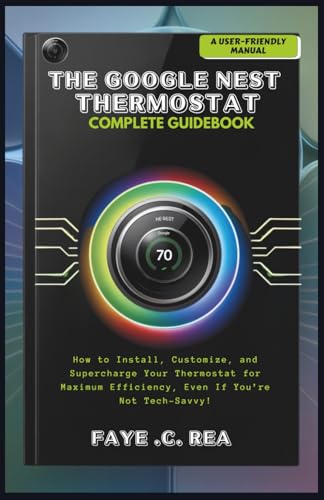
The top-tier and flagship tier. Smart thermostats connect to Wi-Fi, offer app control, learn your preferences over time, and provide energy reports. Many support geofencing, voice assistants, and integration with platforms like Alexa, Google Home, and Apple HomeKit. If you already use a mini-split Wi-Fi thermostat, you know how convenient remote control can be.
4. Line-Voltage Thermostats
Used for electric baseboard heaters, in-floor radiant heating, and some fan-forced heaters. These operate at line voltage (120V or 240V) rather than low voltage. They are not interchangeable with low-voltage HVAC thermostats. If you are working with a 120V AC thermostat setup, confirm the voltage rating before replacing anything.
5. Zoned and Multi-Stage Thermostats
Zoned systems use dampers and separate thermostats to control different areas independently. Multi-stage thermostats manage equipment with more than one heating or cooling stage, such as a heat pump with auxiliary heat. These are professional-grade configurations that benefit from careful setup.
Comparison Table: Thermostat Categories
| Tier | Category | Best For | Key Features |
|---|---|---|---|
| Essential tier | Non-programmable | Simple setups, stable routines | Manual setpoint, basic on/off control |
| Mid-range | Programmable | Homes with predictable schedules | 7-day or 5-2 scheduling, override |
| High-end tier | Smart thermostat | Connected homes, variable routines | Wi-Fi, app control, learning, reports |
| Professional-grade | Zoned / multi-stage | Multi-zone homes, heat pumps | Damper control, stage management |
| Specialty | Line-voltage | Baseboard and radiant heat | 120V/240V operation, direct switching |
Key Features That Matter
- Compatibility: Check whether your system is conventional (single-stage, multi-stage, heat pump) and whether the thermostat supports it. A variable-speed air conditioner may require a thermostat that communicates with the equipment's control board.
- C-wire support: Smart thermostats typically need continuous power. If no C-wire exists, an adapter or professional wiring may be required.
- Scheduling and geofencing: Scheduling handles routine patterns; geofencing adjusts based on whether occupants are home.
- Remote sensors: Room sensors improve accuracy in spaces where the thermostat itself sits in a suboptimal location.
- Energy reports: Usage data helps identify runtime patterns and adjust schedules over time.
- Voice and app control: Convenient for households with multiple users and busy schedules.
- Humidity control: Some thermostats can control humidifiers or dehumidifiers, which matters in humid or dry climates.
Tip: Before buying, photograph your existing thermostat wiring and note the terminal labels (R, W, Y, G, C, O/B, etc.). This makes compatibility checks straightforward and reduces installation surprises.
How to Choose the Right Thermostat
- Identify your HVAC system type. Conventional gas furnace, electric heat pump, multi-stage, or line-voltage? This is the first filter.
- Confirm compatibility. Use the manufacturer's compatibility checker with your model numbers.
- Decide on control level. Manual, programmable, or smart depends on your routine and how much automation you want.
- Check wiring requirements. Confirm whether a C-wire is present or whether an adapter is needed.
- Plan placement. Interior wall, away from sunlight, drafts, and heat sources.
- Consider integration. If you use a smart home platform, choose a thermostat that fits it.
Wiring Basics and Safety
Low-voltage thermostat wiring is usually safe to handle when the HVAC system is powered off at the breaker. However, misidentifying terminals or crossing wires can damage the control board. Always:
- Turn off power at the air handler and outdoor unit before touching wiring.
- Label wires before disconnecting them.
- Use the manufacturer's wiring diagram, not guesswork.
- If you encounter line voltage (120V/240V), stop and consult a licensed technician.
For systems that involve complex installation or unusual configurations, professional help is the safer path. Our HVAC installation guide and local heating and air conditioning companies resource can help you find qualified support.
Warning: Never install a low-voltage thermostat on a line-voltage circuit or vice versa. Mismatched voltage can destroy the thermostat and damage the HVAC system.
Thermostat Placement Guidelines
- Mount on an interior wall, roughly five feet above the floor.
- Choose a location with free air circulation.
- Avoid direct sunlight, lamps, TVs, and other heat sources.
- Keep away from supply registers, return grilles, and doorways with drafts.
- Avoid kitchen and bathroom areas where humidity and heat fluctuate.
- Do not place behind doors or furniture that blocks airflow.
Proper placement prevents short cycling and improves temperature accuracy. If your current thermostat sits in a poor location, consider a smart model with remote room sensors to compensate.
Thermostats and Different AC Systems
Thermostat selection depends on the equipment it controls. A few common pairings:
- Inverter vs non-inverter systems may have different control expectations; inverter systems often benefit from thermostats that support proportional control or manufacturer-specific communication.
- Mini-split systems without a heat pump typically use dedicated controllers or compatible low-voltage thermostats.
- PTAC units usually have built-in controls and may not accept a standard wall thermostat without an interface kit.
- Single-zone ductless systems often use a handheld remote; wall thermostats are optional add-ons.
Maintenance and Troubleshooting
Thermostats are low-maintenance, but a few habits keep them reliable:
- Replace batteries annually on battery-powered models.
- Clean the cover and vents gently with a dry cloth.
- Check schedule settings after power outages or daylight saving changes.
- If the display is blank, verify power at the air handler and check the C-wire connection.
- If the system short cycles, review placement and schedule settings first.
For broader maintenance context, see our HVAC cleaning and service guide. If your system runs but air isn't moving, our troubleshooting article on an air conditioner that runs but doesn't blow air covers likely causes.
Frequently Asked Questions
What is a C-wire and do I need one for a smart thermostat?
A C-wire (common wire) provides continuous low-voltage power. Most smart thermostats need one to operate reliably. If your wiring lacks a C-wire, an adapter kit or professional wiring run is the usual solution.
Where should I place my thermostat for the best performance?
An interior wall about five feet above the floor, away from sunlight, drafts, supply registers, and heat-generating appliances. Good placement prevents short cycling and inaccurate readings.
Is a smart thermostat worth installing?
For households with variable schedules, multiple zones, or a desire for remote control and usage insights, a smart thermostat is a strong fit. For simple, stable routines, a programmable model may be enough.
Can I install a thermostat myself?
Replacing a low-voltage thermostat with a compatible model is a common DIY task. If the system is line-voltage, lacks a C-wire, or has unusual wiring, professional installation is recommended.
Why does my thermostat keep turning on and off?
Short cycling often stems from poor placement, an oversized system, or schedule conflicts. Check placement and schedule settings first; if the issue persists, have a technician inspect the equipment.
Ready to Choose Your Thermostat?
Compare categories, confirm compatibility, and pick the model that matches your HVAC system and routine.
Explore Thermostat Options