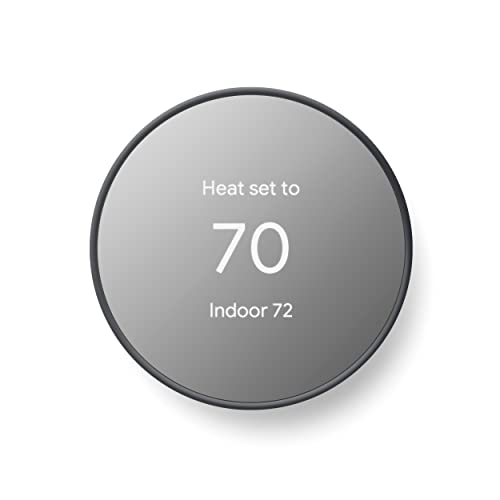
Wireless HVAC Thermostat: The Complete Buying & Installation Guide
Everything you need to know about wireless and smart thermostats — compatibility, features, installation steps, zoning, and how to choose the right model for your HVAC system.
Explore the GuideQuick summary: A wireless HVAC thermostat replaces wall-run low-voltage wiring with a reliable radio link between the thermostat and the HVAC control board. It enables flexible placement, easier retrofits, smart-home integration, and zone-by-zone control — making it one of the most practical upgrades for both older homes and modern systems.
What Is a Wireless HVAC Thermostat?
A wireless HVAC thermostat is a temperature control device that communicates with your heating and cooling equipment without requiring a dedicated thermostat wire to be routed from the wall location to the air handler or furnace. Instead, a small receiver module is wired to the HVAC control board, and the thermostat itself sends setpoint and mode commands over a radio frequency or Wi-Fi link.
This architecture solves one of the most common retrofit problems: relocating a thermostat to a better location — away from direct sunlight, drafts, or a dead-end hallway — without opening walls or fishing new cable. It also enables remote sensors and multi-zone control in homes where adding thermostat wiring would be disruptive. If you are comparing options for whole-home comfort, understanding how a zoned HVAC system uses multiple thermostats helps you decide whether a wireless layout is the right approach.
Modern wireless models go beyond basic scheduling. Many integrate with smart-home platforms, learn occupancy patterns, and report runtime data that helps you spot inefficiencies early — a significant advantage over traditional hardwired units.
Key Features to Look For
Wireless Communication
Radio-frequency or Wi-Fi link between thermostat and receiver. Look for models with clear range specifications and reliable signal stability through walls and floors.
Smart Scheduling & Learning
Programmable schedules, geofencing, and adaptive learning that adjust setpoints around your routine — a core benefit of any modern smart thermostat.
Multi-Zone Support
Pair with dampers and a zone board for independent temperature control per zone. Wireless thermostats are especially practical in zoned setups.
Remote Sensors
Add-on room sensors balance temperatures in rooms that run hot or cold, improving comfort without manual adjustments.
System Compatibility
Verify support for your system type: single-stage, multi-stage, heat pump with auxiliary heat, or dual-fuel. Compatibility is the number-one purchase checkpoint.
Power & C-Wire Handling
Most wireless models need continuous power. Check whether a C-wire is present, or whether the model includes an adapter kit for installations without one.
Wireless Thermostat Tiers at a Glance
Rather than sorting models by numeric figures, it helps to classify them by capability tier. The table below maps each tier to the type of user and system it serves best.
| Tier | Typical Capabilities | Best For |
|---|---|---|
| Essential tier | Basic wireless link, 7-day programming, simple app control, single-stage support | Straightforward homes, renters, single-zone systems |
| Balanced tier | Wi-Fi + app, geofencing, multi-stage and heat pump support, remote sensors | Most households upgrading from a basic thermostat |
| High-end tier | Learning algorithms, multi-zone coordination, detailed energy reports, wide compatibility | Multi-zone homes and efficiency-focused owners |
| Top-tier / professional-grade | Contractor diagnostics, advanced zoning integration, commercial-grade reliability | Larger properties, light commercial spaces, integrators |
As a rule, mid-tier models offer smoother app experiences and broader system compatibility than entry-level units, while top-tier models add diagnostics and zoning depth that most single-family homes do not need. Match the tier to your system complexity, not to the number of features on the box.
Compatibility Checklist Before You Buy
Compatibility is where most thermostat purchases go wrong. Before ordering, confirm the following:
- System type: conventional gas/electric, heat pump, dual-fuel, or multi-stage. Heat pump systems often need a thermostat with dedicated heat pump logic.
- Wiring terminals: note which terminals your current thermostat uses (R, C, W, Y, G, O/B, AUX). Photograph the wiring before removing anything.
- C-wire availability: continuous power is usually required. If no C-wire exists, choose a model with an adapter or plan for a professional install.
- Voltage: most residential thermostats operate on low-voltage control circuits — confirm your system matches the model's specification.
- Communicating systems: some premium HVAC systems use proprietary communication and require the manufacturer's own thermostat.
- Zoning: if you plan multi-zone control, confirm the thermostat integrates with your zone board and damper system.
If your thermostat is set to cool but the AC is not turning on, that is a separate diagnostic issue — see our troubleshooting reference on thermostat set to cool but AC not turning on before assuming the thermostat itself is faulty.
Installation: What the Process Looks Like
A wireless thermostat install is usually simpler than a hardwired relocation because no new wall run is needed. The receiver still requires a connection at the HVAC control board, so the job involves two sides: the equipment side and the room side.
- Power down the HVAC system at the breaker and the service switch before touching any wiring.
- Photograph the existing wiring at both the old thermostat and the control board so you can reference terminal labels later.
- Mount the receiver near the air handler or furnace and connect it to the control terminals per the manufacturer's diagram.
- Pair the thermostat with the receiver following the pairing procedure in the manual — usually a button press sequence on both units.
- Place the thermostat in an interior location away from sunlight, supply registers, and exterior doors for accurate readings.
- Configure system type and test heating, cooling, fan, and auxiliary stages one at a time before restoring normal operation.
If your setup involves a zoned system, the receiver and zone board must be coordinated so each thermostat controls its own damper group. Our guide on zoned air conditioning explains how dampers, zone boards, and thermostats work together. For homes adding cooling without ductwork, a mini-split zoning approach can pair naturally with wireless thermostats per indoor unit.
Placement and Signal Reliability
Wireless does not mean placement is irrelevant. Signal strength and temperature accuracy both depend on where the thermostat sits. Keep these guidelines in mind:
- Mount on an interior wall roughly at eye level, in a room that represents the zone's typical temperature.
- Avoid direct sunlight, lamps, TVs, and supply registers — radiant heat skews readings.
- Keep away from exterior doors and windows where drafts cause short cycling.
- Stay within the manufacturer's stated range from the receiver; walls and metal ductwork attenuate signal.
- Do not mount inside closed cabinets or behind furniture that blocks radio paths.
A thermostat reading that disagrees with actual room comfort is often a placement problem rather than a device fault. If the system runs but the house never reaches the setpoint, review our reference on an air conditioner that will not cool to set temperature to rule out equipment-side causes.
Energy Savings and Smart-Home Integration
The efficiency gains from a wireless smart thermostat come from three behaviors: better scheduling, reduced runtime when the home is empty, and more accurate temperature sensing through remote sensors. Geofencing and occupancy detection let the system relax setpoints automatically, while runtime reports reveal patterns such as short cycling or long cooling cycles that suggest maintenance is due.
Integration matters too. Many models work with major smart-home ecosystems, voice assistants, and utility demand-response programs. If you also run a mini-split system, check whether the thermostat supports the indoor unit's control protocol — some wireless air conditioner setups use dedicated controllers rather than standard 24-volt terminals. For broader context on thermostat options and control accessories, our AC controller reference covers the surrounding hardware ecosystem.
Maintenance and Troubleshooting Basics
Wireless thermostats are low-maintenance, but a few habits keep them reliable:
- Replace batteries on schedule if the model uses them as backup power.
- Update firmware through the manufacturer's app when prompted — updates often improve connectivity.
- Clean the thermostat vents gently; dust interferes with onboard temperature sensors.
- Re-check pairing after any HVAC service that disconnects control wiring.
- If the display is blank or the receiver loses link, verify power at the control board first.
Persistent communication dropouts are usually signal or power related, not software. And if the system behaves erratically — cooling calls that do not match the schedule — verify the thermostat is in the correct mode before scheduling a service visit.
Who Should Choose a Wireless HVAC Thermostat?
A wireless thermostat is a strong fit when you need to relocate a thermostat without opening walls, when you are adding zoning to an existing system, when your current thermostat sits in a poor location, or when you want smart scheduling and remote access without a full control rewire. It is less compelling if your existing hardwired smart thermostat already works well and sits in a good location — in that case, the upgrade adds convenience rather than solving a real problem.
For homeowners planning a broader efficiency upgrade, pairing a wireless thermostat with duct sealing and insulation improvements compounds the benefit. Our reference on wrapping ductwork explains how duct losses undermine thermostat performance, and our guide on good humidity levels for a home helps you evaluate whether your system is managing moisture as well as temperature.
Frequently Asked Questions
Do I need a C-wire for a wireless HVAC thermostat?
Most modern wireless thermostats require a C-wire for continuous power. Some models include power adapter kits or C-wire alternatives, but you should confirm compatibility with your system before ordering. If no C-wire is present, a professional install is the safest route.
Can a wireless thermostat work with any HVAC system?
Compatibility depends on system type and wiring. Conventional single-stage systems are widely supported. Heat pumps, multi-stage systems, dual-fuel setups, and proprietary communicating systems may require specific models. Always check the manufacturer's compatibility list against your terminal labels.
How far can a wireless thermostat be from the HVAC unit?
Typical residential wireless thermostats maintain reliable links within normal whole-home distances, but walls, floors, and metal ductwork reduce signal strength. Staying within the manufacturer's recommended range and avoiding obstructions keeps communication stable.
Are wireless thermostats worth installing for zoning?
Yes. Wireless thermostats are a practical fit for zoned systems because they avoid running new thermostat wiring to each zone. They pair with zone boards and dampers to give independent temperature control per area, which is especially useful in multi-story homes and finished basements.
What is the difference between a wireless thermostat and a smart thermostat?
Wireless describes the communication link between thermostat and HVAC equipment. Smart describes learning, scheduling, app control, and integration features. Many modern thermostats are both wireless and smart, but the terms are not interchangeable — a wireless thermostat can be a basic programmable unit.
Bottom line: A wireless HVAC thermostat is a practical upgrade when placement, zoning, or retrofit constraints make hardwired control impractical. Prioritize system compatibility and power requirements first, then choose a tier that matches your home's complexity. With correct pairing and sensible placement, a wireless thermostat delivers accurate control, useful data, and long-term comfort — a worthwhile investment for most households planning a control upgrade.