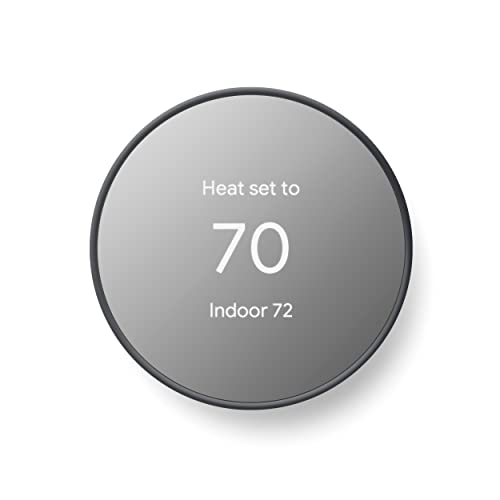
Smart Thermostat C Wire: Complete Guide to Power and Installation
Understand what a C wire does, why many smart thermostats need one, and how to check your existing wiring. Explore the practical solutions when no C wire is present, including adapter kits, power-stealing thermostats, and running a new cable.
START THE GUIDEWhat Is a C Wire and What Does It Do?
The C wire — short for Common wire — is a 24V power line that completes the electrical circuit for a low-voltage HVAC system. In a standard thermostat cable, the R wire supplies 24V power from the transformer, and the C wire provides the return path. Together they form a continuous power loop that keeps a smart thermostat running without relying on internal batteries.
In conventional thermostat wiring, the R wire only carries power when the system calls for heat or cooling. The C wire is different: it carries power at all times, which is exactly what Wi-Fi and display electronics need. Without a C wire, a smart thermostat must either use batteries or steal a small amount of current from the switching circuits.
Common terminal labels you may see on a thermostat or control board include:
- C or COM — common wire terminal
- R or Rc / Rh — 24V power terminal
- W — heating call
- Y — cooling call
- G — fan call
- O/B — reversing valve (heat pumps)
If you want a broader introduction to thermostat controls before diving into wiring, the simple AC thermostat guide and the smart thermostat guide are useful starting points.
Why Many Smart Thermostats Require a C Wire
Smart thermostats use more power than basic programmable models. Continuous Wi-Fi connectivity alone can draw more current than a thermostat without a C wire can safely harvest from the R and W/Y lines. The C wire solves this by supplying power directly from the HVAC transformer.
Common reasons manufacturers recommend or require a C wire include:
- Stable Wi-Fi connection: Insufficient power causes the radio to drop or reconnect repeatedly.
- Reliable display: Low power can cause screen flicker or blank screens.
- Consistent sensor operation: Occupancy and temperature sensors need steady voltage.
- HVAC system protection: Power-stealing thermostats can cause short cycling or false calls in some systems.
Not every smart thermostat requires a C wire. Some models are specifically designed for homes without one, using batteries or improved power-stealing circuitry. The smart thermostat without C wire guide explains those models and their limitations in more detail.
How to Check if Your Thermostat Has a C Wire
Checking for a C wire is straightforward and takes only a few minutes. Follow these steps carefully:
- Step 1: Turn off power to the HVAC system at the breaker panel or the service switch near the indoor unit.
- Step 2: Remove the thermostat faceplate. Most models snap off or are held by a small screw.
- Step 3: Inspect the terminal block. Look for a terminal labeled C, COM, or Common.
- Step 4: Check whether a wire is connected to that terminal. If yes, you have a C wire in use.
- Step 5: If the terminal is empty but there is an unused wire tucked behind the wall, it may be usable as a C wire after verifying it connects properly at the control board.
If you find an unused wire, do not assume it is a C wire without verifying the connection at the air handler or furnace control board. The wire must connect to the C terminal on the board to function as a common wire.
For homes with mini-split systems, the wiring approach is different. Review the smart thermostat for split systems guide and the mini-split thermostat overview for compatibility notes.
Solutions When You Do Not Have a C Wire
If your existing wiring lacks a C wire, you have several options. Each has trade-offs in complexity, reliability, and compatibility with your HVAC equipment.
| Solution | Best For | Complexity | Reliability |
|---|---|---|---|
| Use an unused wire as C wire | Homes with spare thermostat wires | Low | High if correctly connected |
| C wire adapter kit | Homes without spare wires | Moderate | High; installed at control board |
| Power-stealing thermostat | Homes where wiring changes are not feasible | Low | Moderate; depends on HVAC system |
| Run a new thermostat cable | Renovations and accessible walls | High | Highest; direct C wire connection |
| Battery-powered smart thermostat | Simple installations with occasional Wi-Fi use | Low | Moderate; battery replacement required |
C Wire Adapter Kits
A C wire adapter kit installs at the HVAC control board and repurposes existing thermostat wires to supply a C connection. This is the most common solution for homes without a spare wire. Installation requires access to the control board and basic comfort with low-voltage wiring. Adapter kits are widely compatible with conventional furnaces and air handlers.
Power-Stealing Thermostats
Some smart thermostats are designed to draw power from the R and W/Y circuits without causing issues. These work best on systems with simple switching and adequate transformer capacity. They may struggle on systems with zone valves, heat pumps, or older equipment. Review the no C wire thermostat guide for model-specific details.
Running a New Thermostat Cable
Running a new 5-wire or 6-wire thermostat cable is the most reliable solution but requires access through walls. It is often practical during renovations or in homes with unfinished basements. A professional installer is recommended for complex runs.
Battery-Powered Smart Thermostats
Battery-powered models avoid the wiring question entirely but require periodic battery replacement. Wi-Fi features may be limited or intermittent when the battery is low. These are best for homes where wiring changes are not practical.
Compatibility Notes for Common HVAC Systems
C wire requirements vary by HVAC system. Review the following compatibility notes before choosing a solution:
Conventional Furnace and Central AC
Most conventional systems with a 24V transformer support C wire adapters and standard smart thermostats. Verify that the transformer has enough capacity for the thermostat in addition to the existing load.
Heat Pumps
Heat pumps use additional wires for the reversing valve. A C wire is strongly recommended to avoid power-stealing issues, which can interfere with defrost cycles. The heating and cooling thermostat guide covers compatibility for combined systems.
Zone Valve and Boiler Systems
Zone valve systems often require a separate transformer for the thermostat. A C wire adapter may need to be installed at the zone valve control panel rather than the boiler.
Mini-Split and Ductless Systems
Many mini-split systems use proprietary controllers that are not directly compatible with standard smart thermostats. Review the split system thermostat guide before purchasing.
Multi-Stage and Variable-Speed Equipment
Multi-stage and variable-speed systems use additional control wires. A C wire is important for stable operation, and adapter kits must be compatible with the specific control board. For broader system context, see the single-stage AC guide and the single-zone mini-split overview.
Evaluating Smart Thermostats by Product Tier
To compare smart thermostats without relying on any monetary figures, this guide uses tier descriptors. Each tier reflects relative market position and feature depth:
Entry-Level Tier
Basic smart thermostats with scheduling, app control, and simple installation. Often compatible with C wire adapters and best for standard single-stage systems.
Mid-Tier
Improved displays, better sensor suites, and support for multi-stage or heat pump systems. Typically offers reliable C wire compatibility and clear installation guidance.
High-End Tier
Advanced features such as occupancy sensing, remote sensors, and learning algorithms. These models often strongly recommend a C wire and may include adapters in the box.
Professional-Grade
Contractor-focused thermostats with robust diagnostics, compatibility with zoning systems, and support for complex HVAC equipment. Installation by a technician is often recommended.
Within any tier, verify C wire compatibility first. A mid-tier model with clear C wire support is often a better fit than a high-end model that requires wiring changes you cannot accommodate. For related smart home context, see the smart home AC thermostat guide and the smart thermostat HVAC overview.
Installation Tips for C Wire Connections
Whether you are installing an adapter kit or running a new wire, these tips help ensure a safe and reliable installation:
- Label wires before disconnecting. Take a photo of the existing terminal connections for reference.
- Turn off power at the breaker. Do not rely on the thermostat to be the only disconnect.
- Strip wires to the correct length. Too much exposed copper can cause shorts; too little can cause loose connections.
- Verify transformer capacity. Adding a smart thermostat may require checking the VA rating of the transformer.
- Test after installation. Confirm heating, cooling, and fan operation before closing up the thermostat.
For homes where running new wire is difficult, a professional installer can often find a practical path through existing wall cavities. The C wire guide covers additional installation scenarios, and the smart AC control overview explains related control features.
Quick Buyer Checklist Before Choosing a Smart Thermostat
- Inspect existing thermostat wiring for a C wire connection.
- Check the control board at the air handler or furnace for a C terminal.
- Identify your HVAC system type: conventional, heat pump, zone valve, or mini-split.
- Decide whether a C wire adapter kit, power-stealing thermostat, or new cable is right for your setup.
- Confirm the smart thermostat is compatible with your system type and C wire situation.
- Verify transformer capacity if adding a C wire adapter.
- Plan for professional installation if you are uncomfortable with low-voltage wiring.
- Review warranty terms and return policies in case compatibility issues arise.
Frequently Asked Questions
What is a C wire on a smart thermostat?
The C wire, or common wire, is a continuous 24V power line that provides steady electricity to a smart thermostat. Unlike the R wire, which only carries power when the system calls for heating or cooling, the C wire supplies constant power so the thermostat can run Wi-Fi, displays, and sensors without draining an internal battery.
Do all smart thermostats need a C wire?
Not all smart thermostats require a C wire. Some models use internal batteries or power-stealing technology to operate without one. However, power-stealing thermostats can cause issues with certain HVAC systems, so a C wire is generally the most reliable long-term solution.
How do I know if my thermostat has a C wire?
Turn off power to your HVAC system, remove the thermostat faceplate, and inspect the terminal labels. A C wire is usually connected to a terminal labeled C, COM, or Common. If no wire is connected to that terminal, you do not currently have a C wire in use.
Can I install a smart thermostat without a C wire?
Yes, in some cases. Options include using a thermostat that does not require a C wire, installing a C wire adapter kit that connects at the HVAC control board, or running a new thermostat cable. Each option has trade-offs in complexity and reliability.
What happens if a smart thermostat is installed without a C wire?
Without a C wire, the thermostat may rely on battery power or power-stealing circuitry. Symptoms of insufficient power include the screen flickering, Wi-Fi dropping, short cycling of the HVAC system, or the thermostat failing to hold a charge. These issues vary by thermostat model and HVAC equipment.