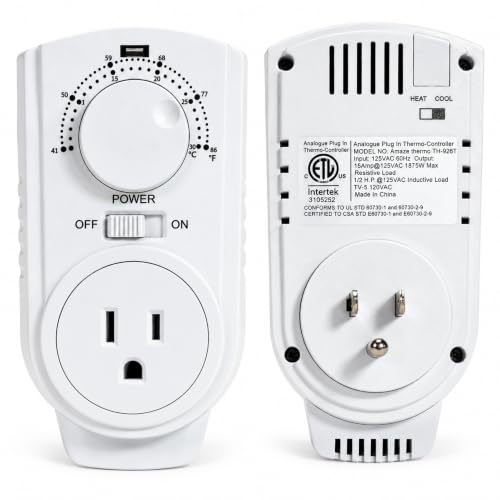
Thermostat That Automatically Switches From AC to Heat
An auto-changeover thermostat keeps your home comfortable through changing seasons by switching between cooling and heating on its own. This guide explains how the AUTO mode works, how to choose the right model, and what wiring and settings you need.
Quick answer: A thermostat with an AUTO mode (auto-changeover) uses separate heat and cool setpoints. When the room warms above the cool setpoint, it calls for cooling; when it cools below the heat setpoint, it calls for heating. A deadband between the setpoints prevents short cycling. Many modern programmable and smart thermostats support this, but you need compatible wiring—often including a C wire—and correct configuration for your HVAC equipment.
Why Use an Auto-Changeover Thermostat
Without auto-changeover, you manually switch the thermostat between HEAT and COOL as the weather changes. That is inconvenient during swing seasons when days are warm and nights are cool. An auto-changeover thermostat handles those transitions for you: you set a comfortable cool setpoint and a comfortable heat setpoint, and the thermostat decides which mode to run. This keeps the home within a comfortable band and reduces the risk of forgetting to switch modes before a cold snap or heat wave.
Auto-changeover is also useful for vacation homes, rentals, and any space where occupancy is intermittent. Instead of returning to a house that is too hot or too cold, the thermostat maintains a reasonable range. For related comfort context, see HVAC system and HVAC maintenance guide.
How Automatic Switching Works
In AUTO mode, the thermostat monitors room temperature against two setpoints: a cool setpoint and a heat setpoint. When the temperature rises above the cool setpoint, the thermostat calls for cooling. When it drops below the heat setpoint, it calls for heating. The gap between the two setpoints is called the deadband, and it prevents the system from rapidly switching between heating and cooling.
The deadband is important because heating and cooling should never run at the same time. If the setpoints are too close together, the thermostat could bounce between modes, causing short cycling and equipment wear. Most thermostats enforce a minimum deadband—often a few degrees—and some add a minimum off-time to protect the compressor. Understanding these settings helps you configure the thermostat correctly. For related technical context, see HVAC refrigerant cycle and HVAC sensors.
Types of Auto-Changeover Thermostats
Auto-changeover is a feature, not a single product category. It appears across several thermostat types. The right choice depends on your HVAC system, wiring, and how much control you want.
| Type | Key Features | Best For |
|---|---|---|
| Programmable auto-changeover | Schedule-based setpoints with AUTO mode | Households with predictable routines |
| Smart auto-changeover | App control, geofencing, learning schedules, AUTO mode | Users who want remote control and automation |
| Non-programmable auto-changeover | Simple dial or button control with AUTO mode | Basic setups and budget-conscious upgrades |
| Heat pump auto-changeover | AUTO mode with heat pump-specific staging and defrost support | Homes with heat pumps or dual-fuel systems |
Programmable vs. Smart
Programmable thermostats let you set schedules and use AUTO mode, but you configure everything at the device. Smart thermostats add app control, geofencing, and sometimes learning algorithms. Both can support auto-changeover, but smart models often provide clearer feedback about which mode is active and why. For a related wiring consideration, see smart thermostat without C wire.
Heat Pump Compatibility
Heat pumps require thermostats that understand reversing valves, auxiliary heat, and defrost cycles. Many heat pump thermostats support AUTO mode, but the deadband and minimum run times must be configured to match the equipment. A thermostat designed for a conventional furnace and air conditioner may not control a heat pump correctly. If your system is a heat pump, choose a thermostat explicitly rated for heat pump use. For related guidance, see HVAC heat pumps.
How to Choose the Right Thermostat
Focus on compatibility, wiring, and the features that support reliable auto-changeover. Use the table below to guide your comparison.
| Factor | What to Check | Why It Matters |
|---|---|---|
| System compatibility | Conventional vs heat pump, stages, auxiliary heat | Ensures correct control and safe operation |
| Wiring | C wire, number of wires, available terminals | Many smart thermostats need continuous power |
| AUTO mode support | Explicit auto-changeover with deadband settings | Prevents short cycling and mode conflicts |
| Scheduling | 7-day, 5-2, or single schedule | Matches your routine and comfort needs |
| Remote access | App, Wi-Fi, geofencing | Convenience and energy management |
| Display and alerts | Filter reminders, fault alerts, usage reports | Helps with maintenance and troubleshooting |
| Tier | Entry-level, mid-range, premium | Higher tiers often add better sensors and features |
Choose a Tier That Fits Your Needs
Entry-level auto-changeover thermostats cover the basics: HEAT, COOL, AUTO, and FAN modes with simple scheduling. Mid-range models typically add better displays, more schedule options, and improved sensor accuracy. Premium and top-tier smart thermostats often include geofencing, learning behavior, remote sensor support, and detailed usage reporting. Choose a tier that matches how much automation and visibility you want. For broader buying context, see HVAC buying guide and HVAC system buying guide.
Features Worth Prioritizing
- Adjustable deadband to control how far the temperature can drift before switching.
- Minimum run and off times to protect the compressor and furnace.
- Clear AUTO mode indication so you know which mode is active.
- Filter and service reminders to support maintenance.
- Remote sensor support for balancing temperatures across rooms.
Wiring and Installation Basics
Thermostat installation is straightforward when the wiring matches the new model, but it can become complicated when a C wire is missing or the system has multiple stages. Before you begin, turn off power at the air handler and outdoor unit. Photograph the existing wiring, label each wire, and confirm the new thermostat's terminal labels match your system.
If you are replacing an existing thermostat with a compatible auto-changeover model, the process is usually a direct swap. If you are adding a smart thermostat that requires a C wire, you may need to run a new wire, use an add-a-wire adapter, or install a power adapter at the air handler. For related guidance, see how to wire AC thermostat and smart thermostat without C wire.
Pre-Installation Checklist
- Turn off power to the HVAC system at the breaker and service switch.
- Photograph and label the existing thermostat wiring.
- Confirm the new thermostat supports your system type and stages.
- Check whether a C wire is present and needed.
- Verify the new thermostat's terminal labels match your wiring plan.
- Mount the thermostat in a location away from direct sun, drafts, and heat sources.
- Restore power and test HEAT, COOL, AUTO, and FAN modes.
If you are unsure about wiring, consult a qualified HVAC technician. Incorrect wiring can damage the thermostat or the HVAC equipment. For related service context, see HVAC technician and HVAC professional.
Configuring AUTO Mode for Reliable Comfort
Once installed, configure the thermostat to avoid short cycling and mode conflicts. Start by setting a comfortable cool setpoint and a comfortable heat setpoint with a reasonable gap between them—often several degrees. If the gap is too small, the thermostat may switch modes too often. If the gap is too large, the home may drift outside your comfort range before the system responds.
Then review the deadband, minimum run time, and minimum off time settings. On heat pump systems, these settings are especially important because heat pumps have longer cycle times and require defrost cycles. Some thermostats also offer adaptive recovery, which starts heating or cooling early to reach the setpoint by a scheduled time. For related troubleshooting context, see my AC is running but not cooling and my AC is not cooling my house.
Common Problems and Fixes
If auto-changeover is not behaving as expected, check the following before calling a professional:
- Thermostat not switching modes: Confirm AUTO mode is enabled, not just HEAT or COOL. Check the deadband and setpoints.
- Short cycling: Increase the deadband or minimum off time. Confirm the setpoints are not too close together.
- No response in one mode: Check wiring at the thermostat and air handler, and confirm the system breaker is on.
- Heat pump stuck in one mode: Confirm the thermostat is configured for heat pump and the reversing valve setting matches your equipment.
- Inaccurate temperature readings: Move the thermostat away from drafts, sun, and heat sources, or add a remote sensor.
If these steps do not resolve the issue, a professional can diagnose wiring, control board, and equipment faults. For related troubleshooting, see common AC problems and central air turns on but doesn't cool.
Frequently Asked Questions
What is an auto-changeover thermostat?
An auto-changeover thermostat has an AUTO mode that lets it switch between heating and cooling automatically based on the setpoints. You set a cool setpoint and a heat setpoint, and the thermostat selects the right mode as the room temperature drifts.
How does a thermostat automatically switch from AC to heat?
In AUTO mode, the thermostat monitors room temperature against your cool and heat setpoints. When the temperature rises above the cool setpoint, it calls for cooling. When it falls below the heat setpoint, it calls for heating, subject to a deadband to prevent short cycling.
Does an auto-changeover thermostat need a C wire?
Many smart auto-changeover thermostats require a C wire for continuous power. Some models can use a power-stealing adapter or an add-a-wire kit, but a dedicated C wire is the most reliable setup.
Is auto-changeover safe for a heat pump?
Auto-changeover is supported on many heat pump thermostats, but the deadband and minimum run times must be configured correctly. Heat pumps have longer cycle times and require specific settings to avoid short cycling and compressor wear.
Can I set my thermostat to auto-changeover during vacation?
Yes. AUTO mode is useful for maintaining a comfortable range while you are away. Set reasonable heat and cool setpoints with a wide deadband, and use any vacation or away schedule your thermostat supports.
Ready to compare auto-changeover thermostats and related accessories? Browse our recommended products below.
View Recommended ProductsRelated Guides
How to wire AC thermostat Smart thermostat without C wire HVAC heat pumps Central air with furnace HVAC buying guide HVAC maintenance guide Common AC problems HVAC sensors